The fanless vs fan-cooled debate in POS hardware is not a marketing question — it is an engineering decision that directly impacts your failure rates, maintenance costs, and total cost of ownership over a 5-year deployment cycle. This guide breaks down the real differences in thermal architecture, reliability data, environmental protection, and TCO math — with a framework for deciding which approach fits your deployment.
Table of Contents
- What Does "Fanless POS" Actually Mean?
- The Fan Problem: Why Moving Parts Fail
- Cooling Architecture: Passive vs Active
- Head-to-Head: 10 Critical Comparison Factors
- Dust, Grease, and Environmental Ingress
- Noise: The Hidden Customer Experience Factor
- Performance: Can Fanless Handle Your Workload?
- TCO Math: 5-Year Cost Comparison
- When Fan-Cooled Still Makes Sense
- Thermal Engineering: Not All Fanless Are Equal
- Deployment Scenarios: Which Architecture Wins Where
- Decision Framework: 7 Questions to Ask Before Buying
- Frequently Asked Questions
1. What Does "Fanless POS" Actually Mean?
A fanless POS terminal is a point-of-sale system designed with zero internal cooling fans. Instead of using active airflow (a fan pulling air across a heat sink), it dissipates heat entirely through passive thermal engineering:
- Aluminum alloy chassis acts as a giant heat spreader — the entire enclosure absorbs and radiates heat
- Thermal pads and heat pipes transfer heat from the CPU and chipset directly to the metal housing
- Sealed internal structure — no air intake or exhaust vents, meaning no dust, grease, or moisture enters the enclosure
- Low-TDP processor selection — CPUs are chosen for their thermal efficiency (typically 6–15W TDP for fanless designs)
A fan-cooled (or "active cooling") POS terminal, by contrast, uses one or more internal fans to force air across heat sinks and expel it through vents. This allows higher-wattage processors but introduces moving parts, air exchange with the environment, and a mechanical failure point.
Key distinction: "Fanless" is not a feature added to a standard terminal — it is a fundamentally different thermal architecture that must be designed from the ground up. The chassis material, internal layout, processor selection, and thermal interface materials all change when you remove the fan.

2. The Fan Problem: Why Moving Parts Fail
In commercial computing hardware, fans are the number one mechanical failure point. This is not a theoretical concern — it is the single most predictable hardware failure in any system with active cooling. Here is why:
Fan Failure Modes
- Bearing wear: Sleeve and ball bearings degrade over time. A fan rated for 50,000 hours will become noisier and spin slower long before it fails completely.
- Dust accumulation: Fan blades and heat sink fins collect dust. A 1mm layer of dust on a heat sink reduces cooling efficiency by 15–30%, causing thermal throttling.
- Grease ingress: In restaurant environments, airborne grease coats fan blades and internal components within months, creating an insulating layer that accelerates overheating.
- Vent blockage: Intake and exhaust vents become blocked by dust, paper towels, or installation in enclosed spaces, creating thermal runaway.
- Vibration damage: Fan vibration loosens internal connectors, screws, and component mounts over years of operation.
The Cascade Effect
Fan failure does not happen in isolation. When a fan slows or stops, the CPU temperature rises. This triggers thermal throttling — the processor reduces its clock speed to avoid damaging itself. Your POS software gets slower. Transactions take longer. Checkout lines grow. Eventually, the system shuts down to protect itself, and you have a dead terminal during peak hours.
Real-world data: In retail POS deployments, cooling-related failures account for approximately 40–55% of all hardware service calls after year 2. A fanless terminal eliminates this entire category of failure.
3. Cooling Architecture: Passive vs Active
To understand why fanless vs fan-cooled is an engineering decision, not just a preference, you need to understand how each approach manages heat.
Passive Cooling (Fanless)
Heat travels through three mechanisms in a fanless POS terminal:
- Conduction: Heat moves from the CPU through thermal interface material (TIM) to an aluminum heat block, then through thermal pads to the metal chassis
- Convection (natural): The warm chassis radiates heat into the surrounding air — no forced airflow needed
- Radiation: The external surface area of the enclosure emits infrared heat to the environment
The critical engineering challenge: passive cooling has a thermal ceiling. A well-designed aluminum chassis can dissipate approximately 15–25W of sustained heat in a standard POS form factor. This limits the CPU TDP that can be used — but for most POS workloads, 6–15W is more than sufficient.
Active Cooling (Fan-Cooled)
Active cooling uses forced convection — a fan pushes air across finned heat sinks, dramatically increasing heat transfer rate. This allows:
- Higher-TDP processors (35–65W+ in POS form factors)
- Discrete GPUs for AI/vision workloads
- More compact enclosures (smaller surface area needed for heat dissipation)
- Operation in higher ambient temperatures
The trade-off: every advantage of active cooling comes with the maintenance burden and failure risk of a mechanical fan.
4. Head-to-Head: 10 Critical Comparison Factors
Here is a side-by-side comparison across the factors that actually matter for B2B deployment decisions:
| Factor | Fanless POS | Fan-Cooled POS |
|---|---|---|
| Moving parts | Zero (no fans, no rotating components) | 1–2 fans with bearings |
| Dust ingress | Sealed enclosure — no air exchange | Continuous air intake brings dust, grease, moisture inside |
| Noise level | 0 dBA — completely silent | 35–45 dBA under load (audible hum) |
| Max CPU TDP | 6–15W typical (up to ~25W with advanced thermal design) | 35–65W+ (supports high-performance CPUs and discrete GPUs) |
| Fan lifespan | N/A — no fan to fail | 30,000–50,000 hours (3.4–5.7 years at 24/7 operation) |
| Maintenance | Essentially zero — no fans to clean or replace | Periodic fan cleaning, filter replacement, and eventual fan replacement |
| Ingress protection | Inherently sealed — IP54 to IP65 achievable | IP20 typical (vents required for airflow) |
| Vibration tolerance | Excellent — no moving parts to damage | Reduced — fan bearings degrade under vibration |
| Chassis material | Aluminum alloy (functional — required for heat dissipation) | Aluminum or plastic (chassis is cosmetic, not thermal) |
| Typical 5-year failure rate | 8–12% (mainly screen, power supply, storage) | 20–35% (fan + dust-related failures added) |
5. Dust, Grease, and Environmental Ingress
The environmental protection argument is the strongest case for fanless POS hardware — and it is backed by physics, not marketing.
How Fans Destroy Terminals in Harsh Environments
A cooling fan is essentially an air pump. For every cubic foot of air it moves through the terminal, it brings in everything suspended in that air. In real deployment environments, this means:
- Restaurant kitchens: Airborne cooking grease enters through vents, coats heat sink fins and fan blades, creates an insulating layer that reduces cooling efficiency by 30%+ within 6–12 months, and eventually causes thermal shutdown.
- Bakeries: Fine flour dust infiltrates every vent, accumulates on circuit boards (conductive when damp), causes short circuits and component corrosion.
- Supermarkets: Dust from high foot traffic, packaging debris, and humidity from refrigeration units create a corrosive internal environment.
- Convenience stores: 24/7 operation means no downtime for the environment to settle — the fan runs continuously, pulling in contaminants around the clock.
- Outdoor/semi-outdoor kiosks: Pollen, humidity, and temperature swings create condensation inside vented enclosures, leading to corrosion and electrical shorts.
The Sealed Enclosure Advantage
A fanless POS terminal has no air intake or exhaust. The internal environment is sealed. Dust, grease, moisture, and airborne contaminants cannot enter because there is no airflow pathway. This is why fanless terminals achieve IP54 and higher ingress protection ratings while fan-cooled terminals typically max out at IP20.
Engineering reality: You cannot seal a fan-cooled terminal. The fan requires airflow, and airflow requires vents. Vents are the entry point for every environmental contaminant. Fanless design eliminates this entire failure pathway by removing the need for air exchange.
6. Noise: The Hidden Customer Experience Factor
Fan noise seems trivial — until you are standing next to it for 8 hours a day, or your customers are trying to have a conversation 3 feet from a buzzing terminal.
A typical fan-cooled POS terminal produces 35–45 dBA under load. For context:
| Sound Level | Environment | POS Context |
|---|---|---|
| 0 dBA | Silence (reference) | Fanless POS terminal |
| 30 dBA | Quiet library | Premium retail target |
| 35–45 dBA | Quiet office / whisper | Fan-cooled POS under load |
| 50+ dBA | Normal conversation | Fan-cooled POS with clogged/dusty fan |
In customer-facing environments — boutique retail, hotel lobbies, fine dining, medical clinics, pharmacies — fan noise is not just an annoyance. It degrades the customer experience and undermines the premium positioning of your business. Fanless terminals operate at 0 dBA because they have no moving parts to generate sound.
For staff, the impact is equally real. Cashiers and servers work next to POS terminals for 8–10 hour shifts. A continuously humming fan creates low-level stress and fatigue that compounds over time. Silent operation is not a luxury — it is a workplace quality factor.
7. Performance: Can Fanless Handle Your Workload?
The most common misconception about fanless POS hardware: "no fan means low performance." This is wrong, and understanding why requires looking at what POS software actually demands.
What POS Software Actually Needs
The vast majority of POS workloads are computationally light. A typical checkout session involves:
- Barcode scanning and product lookup (database query — lightweight)
- Transaction processing and payment authorization (I/O bound, not CPU bound)
- Receipt printing (serial/USB communication)
- Cloud sync and loyalty program integration (network I/O)
- Customer display output (GPU trivial — static text and images)
- Browser-based POS application (single-tab web app — modest rendering)
None of these tasks require a 65W desktop-class processor. A modern Intel N-series (6W TDP) or Celeron (10W TDP) CPU handles all of these workloads with headroom to spare. The question is not "which POS has the most powerful CPU?" — it is "which CPU matches my software's actual sustained workload?"
When You Need Fan-Cooled Performance
Fan-cooled POS hardware is justified when your terminal genuinely runs compute-intensive workloads:
- Edge AI / computer vision: Real-time object detection for loss prevention, shelf analysis, or customer analytics requires a discrete GPU (50–130W TDP) — impossible in a fanless design
- Heavy ERP + local database: Running a full ERP system with a multi-million-row local database on the same terminal as POS software
- Multi-display with video: Driving 3+ displays with promotional video content alongside POS software
- High ambient temperature: Deployments in environments where ambient temperature regularly exceeds 40°C (104°F)
The honest answer: For 85–90% of retail POS deployments, a fanless terminal with an Intel N-series or Celeron processor delivers all the performance needed. Over-specifying to a 65W Core i5 in a fan-cooled chassis adds cost, failure risk, and maintenance burden — without making checkout any faster.
8. TCO Math: 5-Year Cost Comparison
The purchase price of a POS terminal is less than half the total cost over its useful life. Here is a realistic 5-year TCO comparison for a 100-terminal deployment:
| Cost Category | Fanless (100 units) | Fan-Cooled (100 units) |
|---|---|---|
| Hardware purchase | $85,000 ($850/unit) | $75,000 ($750/unit) |
| Fan maintenance/cleaning (yr 2–5) | $0 | $12,000 ($30/unit/yr × 4 yrs) |
| Fan replacement (yr 3–5) | $0 | $8,000 ($80/unit, ~40% need replacement) |
| Dust-related service calls | $2,000 (minimal) | $18,000 ($45/call × 400 calls) |
| Premature replacement (thermal failure) | $4,250 (5% × $850) | $15,000 (20% × $750) |
| Downtime cost (failed terminals) | $5,000 (5 units × 4 hrs × $250/hr) | $20,000 (20 units × 4 hrs × $250/hr) |
| Energy (5 yr, 12hr/day) | $21,024 (8W avg × 100 × 12hr × 365d × 5yr × $0.12/kWh) | $31,536 (12W avg × 100 × 12hr × 365d × 5yr × $0.12/kWh) |
| 5-Year TCO Total | $117,274 | $179,536 |
The fanless terminal costs $100 more per unit at purchase, but saves $623 per unit over 5 years. For a 100-terminal deployment, that is $62,262 in savings — a 35% lower total cost of ownership.
Scale matters: At 1,000 terminals, the savings exceed $620,000. At 5,000 terminals (large retail chain), the fanless advantage reaches $3.1 million over 5 years. The larger your deployment, the more fanless makes economic sense.
9. When Fan-Cooled Still Makes Sense
This article is not a one-sided argument for fanless. There are legitimate deployment scenarios where fan-cooled POS hardware is the correct engineering choice:
- Edge AI and computer vision: If your POS terminal runs real-time object detection, facial recognition, or shelf-level inventory cameras, you need a discrete GPU (50–130W). No fanless design can dissipate that heat. Active cooling is mandatory.
- Heavy multi-app environments: Running POS software + ERP + inventory management + analytics dashboards simultaneously on the same terminal. This creates sustained CPU load that may exceed a 15W thermal budget.
- High ambient temperature deployments: Environments where ambient temperature regularly exceeds 40°C (104°F) — outdoor kiosks in hot climates, industrial facilities without climate control. Passive cooling struggles when the temperature differential between CPU and ambient is too small.
- Legacy software requiring high-spec hardware: Some older POS/ERP systems were designed for desktop-class processors and may not run acceptably on low-TDP CPUs. In these cases, fan-cooled hardware running a 35–65W processor is necessary.
The right question: "Does my software genuinely require more than 15W of sustained CPU power?" If yes, fan-cooled is the answer. If no — and for 85%+ of retail POS, the answer is no — fanless is the better engineering choice.
10. Thermal Engineering: Not All Fanless Are Equal
Removing the fan does not automatically create a reliable system. Heat still has to go somewhere. The engineering quality of the thermal design determines whether a fanless terminal runs cool for 5 years or throttles and crashes after 6 months.
What Makes a Well-Engineered Fanless POS?
- Full aluminum alloy chassis: The entire enclosure must function as a heat sink. Plastic shells cannot dissipate heat — they trap it. The chassis thickness, alloy grade, and surface treatment all matter.
- Direct thermal path: CPU → thermal pad → aluminum heat block → chassis. Every interface in this chain must have proper thermal interface material. Air gaps = thermal insulation.
- Correct CPU selection: The processor TDP must match the chassis dissipation capacity. A 15W CPU in a chassis rated for 10W will overheat. Engineering-driven manufacturers specify CPUs that match their thermal design — not ones that look good in a spec sheet.
- Internal layout: Heat-generating components (CPU, chipset, power regulator) must be positioned for efficient heat transfer to the chassis. Components that are sensitive to heat (SSD, RAM) should be thermally isolated.
- Aging and stress testing: A reputable manufacturer runs every terminal through a 24–48 hour aging test at full load before shipping. This catches thermal design defects before they reach your store.
Red Flags in Fanless Design
- Plastic or partial-metal chassis marketed as "fanless" — heat has nowhere to go
- High-TDP CPUs (25W+) in compact fanless enclosures — guaranteed throttling
- No aging test data — thermal design is unverified
- "We can make it fanless" as an afterthought — proper fanless design starts at the mainboard layout, not at the assembly stage
11. Deployment Scenarios: Which Architecture Wins Where
| Deployment | Recommended | Why |
|---|---|---|
| Restaurant / QSR | Fanless | Grease, food particles, 24/7 operation — fan would ingest contaminants continuously |
| Supermarket | Fanless | High transaction volume, 14+ hr/day, dust from packaging and foot traffic |
| Convenience store (24/7) | Fanless | ~8,760 hrs/yr operation — fan would fail within warranty period |
| Bakery | Fanless | Fine flour dust infiltrates vents and causes short circuits |
| Boutique retail / hotel | Fanless | Silent operation for premium customer experience; clean environment but noise-sensitive |
| Self-service kiosk (indoor) | Fanless | Unattended operation — maintenance access is expensive and slow |
| Self-service kiosk (outdoor) | Fanless (sealed) | Humidity, pollen, temperature swings — only sealed enclosure survives |
| POS with AI vision / loss prevention | Fan-cooled | Discrete GPU (50W+) requires active airflow — passive cooling cannot handle it |
| Industrial warehouse POS | Fanless | Dust, vibration, and rough handling — fan bearings fail under vibration |
| Pharmacy / medical | Fanless | Silent operation, hygienic sealed enclosure, no particle circulation |
12. Decision Framework: 7 Questions to Ask Before Buying
Before specifying fanless or fan-cooled for your deployment, answer these 7 questions:
- 1What is the daily operating hours? Under 8 hours with climate control → either works. Over 10 hours or 24/7 → fanless strongly recommended.
- 2What contaminants are in the air? Grease, flour, dust, humidity → fanless. Clean, climate-controlled office → fan-cooled is acceptable.
- 3What is the deployment scale? Under 20 terminals → maintenance is manageable either way. Over 100 terminals → fanless saves $600+/unit over 5 years.
- 4Does the software need high CPU power? Check with your POS software vendor. If they recommend Intel N-series or Celeron → fanless. If they require Core i5/i7 → fan-cooled.
- 5Is the terminal customer-facing? If customers are within 3 feet → fanless for silent operation.
- 6Who pays for maintenance? If you are responsible for on-site service across multiple locations → fanless dramatically reduces service calls.
- 7What is the planned hardware lifecycle? Under 2 years → fan-cooled is acceptable. 3–5+ years → fanless eliminates the most predictable failure mode.
Need Help Choosing the Right Cooling Architecture?
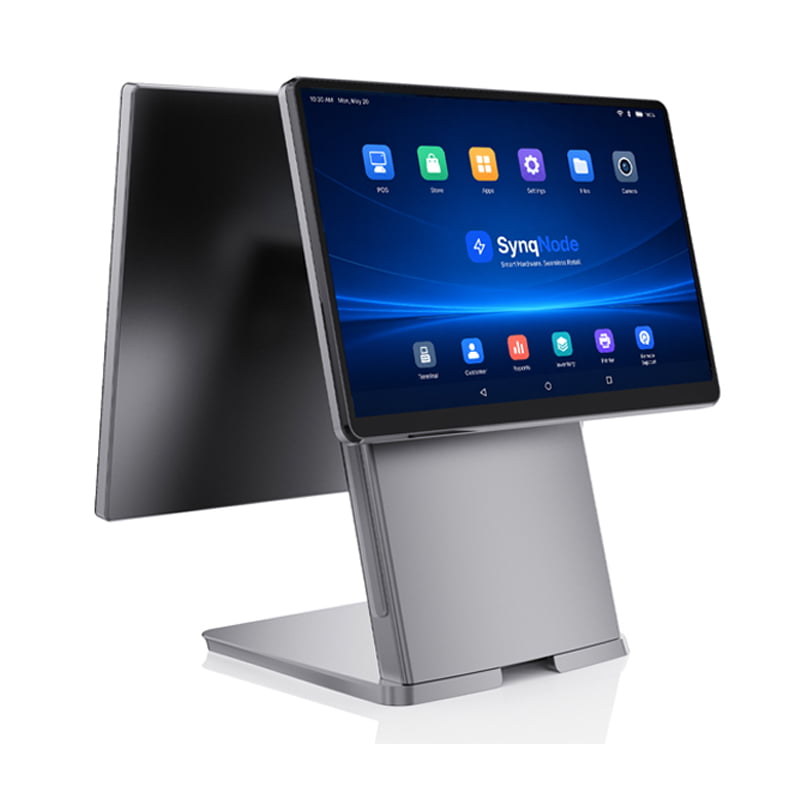
SynqNode engineers both fanless and fan-cooled POS terminals. Our fanless line uses full aluminum alloy chassis with direct thermal path engineering and passes 48-hour aging tests on every unit. We help ISVs, integrators, and retail chains select the thermal architecture that matches their software, environment, and deployment scale.Request Hardware Consultation
Frequently Asked Questions
Is a fanless POS terminal powerful enough for modern POS software?
Yes. Most POS software — including cloud-based POS, browser-based applications, and traditional Windows POS systems — runs efficiently on Intel N-series (6W TDP) or Celeron (10W TDP) processors. These CPUs handle barcode scanning, payment processing, receipt printing, and cloud sync without approaching their thermal limit. Fanless POS is only insufficient if your terminal runs AI/computer vision workloads or heavy local ERP databases.
Will a fanless POS overheat in a hot environment?
A properly engineered fanless terminal is designed to operate within a specified temperature range (typically 0°C to 40°C for commercial, -20°C to 60°C for industrial). If your environment regularly exceeds 40°C (104°F) — such as an un-air-conditioned kitchen or outdoor kiosk in a hot climate — you should specify an industrial-grade fanless terminal with a wider operating temperature range, or consider fan-cooled hardware with proper filtration.
Is fanless POS more expensive than fan-cooled?
Fanless terminals typically cost $50–$100 more per unit at purchase due to the aluminum alloy chassis and thermal engineering. However, over a 5-year lifecycle, fanless saves $600+ per unit in eliminated fan maintenance, dust-related service calls, premature replacements, and downtime. For multi-terminal deployments, the TCO advantage is substantial.
How long does a fanless POS terminal last?
Fanless POS terminals commonly operate reliably for 5–7 years in commercial environments. Without a fan to fail, the primary failure modes shift to screen degradation, power supply wear, and SSD endurance — all of which have longer lifespans than fan bearings. With proper thermal engineering, the terminal often outlasts the software it was purchased to run.
Can a fan-cooled POS be used in a restaurant kitchen?
Technically yes, but it is not recommended. Cooking grease enters through the fan vents and coats internal components within months. This creates an insulating layer that reduces cooling efficiency, causes thermal throttling, and eventually leads to hardware failure. Fanless terminals with sealed enclosures are the correct choice for kitchen-adjacent environments. If you must use fan-cooled hardware in a kitchen, expect to clean or replace the fan every 3–6 months.
How do I verify that a fanless POS is well-engineered?
Ask the manufacturer: (1) What is the chassis material and thickness? (Full aluminum alloy is required.) (2) What is the thermal path from CPU to chassis? (Should include thermal pads or heat pipes.) (3) What is the CPU TDP and does it match the chassis dissipation capacity? (4) Do they perform aging tests on every unit? (48-hour full-load test is standard.) (5) Can they provide thermal test data showing sustained CPU temperature under load? If they cannot answer these questions, the fanless design may be marketing-driven rather than engineering-driven.
Does SynqNode offer both fanless and fan-cooled POS terminals?
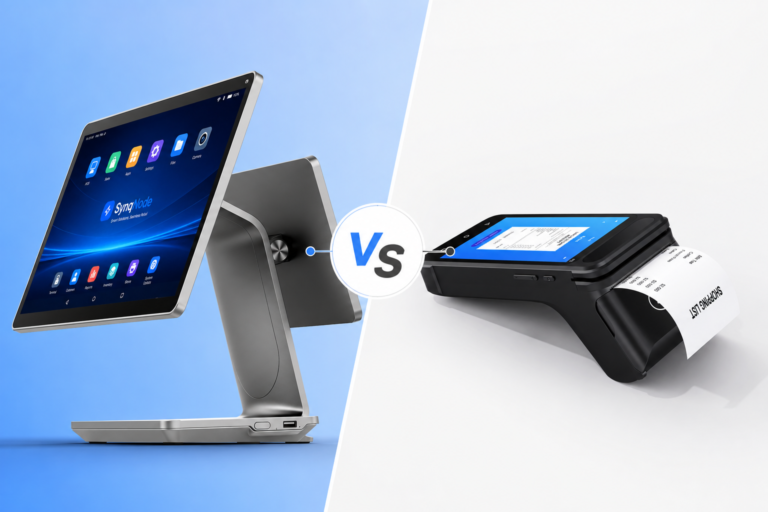
Yes. SynqNode POS terminals include both architectures. Our fanless line uses full aluminum alloy chassis with direct thermal path engineering and low-TDP Intel processors (N-series and Celeron). Our fan-cooled line supports higher-TDP Core i3/i5 processors for deployments that need additional compute power. We help you select the right architecture based on your software, environment, and scale — not based on which product we want to sell.
Fanless POSThermal DesignPOS HardwareRetail TechnologyTCO AnalysisOEM/ODM
Looking for more retail hardware insights? Explore our POS Terminal Portfolio, learn about self-service kiosk hardware, or become a SynqNode partner for OEM/ODM manufacturing support.
About SynqNode: We are a B2B retail hardware manufacturer engineering fanless and fan-cooled POS terminals, electronic shelf labels, self-service kiosks, industrial Mini PCs, and peripheral devices for POS software vendors, system integrators, retail chains, and distributors worldwide.