Comparison Articles for
Smarter Retail Hardware Decisions.
Practical comparison articles are prepared by us to help buyers evaluate POS systems, Electronic Shelf Labels, barcode scanners, POS printers, Industrial Mini PCs, IoT gateways, self-service kiosks, handheld PDAs, and smart retail hardware options.


Find the Comparison That Matches Your Buying Question.
Articles can be reviewed by product category, technology type, deployment scenario, software environment, and procurement stage.
Featured Comparison Articles.
High-impact hardware choices are compared through practical factors. Cost, compatibility, deployment, operation, and long-term scalability are reviewed.
Electronic Shelf Labels vs Paper Price Tags: Which Is Better for Retail?
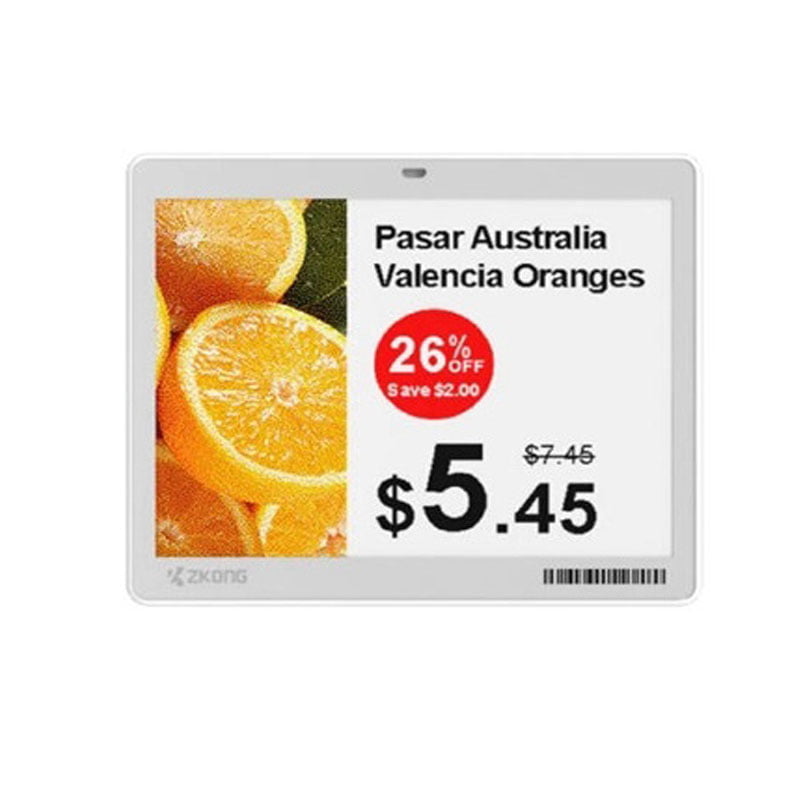
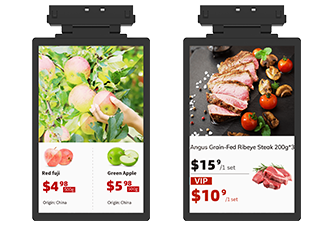
Paper tags are simple, but storewide price updates are slowed by manual work. Electronic Shelf Labels are used to improve price synchronization, reduce paper use, and support omnichannel retail operations.
Android POS vs Windows POS: How Should Retailers Choose?
Android POS hardware is often selected for lightweight cloud POS applications. Windows POS terminals are often used for legacy software, rich peripheral support, and enterprise checkout environments.
1D Barcode Scanner vs 2D Barcode Scanner: What Is the Difference?
1D scanners are used for standard barcodes. 2D barcode scanners are selected when QR codes, mobile payment codes, digital coupons, and complex labels must be supported.
Industrial Mini PC vs IoT Gateway: Which Device Fits Your Retail Project?
Industrial Mini PCs are used for local computing and software operation. IoT gateways are used for device communication, cloud connection, and data transmission across smart retail environments.
💡 The cheapest option is not always the lowest-cost option. The right device should be matched to your software and workflow.
POS and Checkout Hardware Comparisons.
Checkout hardware should be selected based on software compatibility, workflow, interface needs, peripheral connection, and long-term stability.
Android POS vs Windows POS.
Operating system, software environment, cost, peripheral support, and deployment needs are compared for retail and restaurant checkout.
All-in-One POS vs Modular POS.
Integrated touch screen POS terminals and modular POS box solutions are compared by installation style, maintenance, space use, and flexibility.
Cloud POS vs Traditional POS.
Cloud-based POS systems and local POS systems are compared through data access, software updates, hardware requirements, and multi-store management.
Touch Screen POS vs Tablet POS.
Commercial touch screen POS hardware and consumer-grade tablet POS setups are compared by durability, ports, mounting, support, and 24/7 operation.
Self-Service Kiosk vs Traditional POS Terminal.
Self-service kiosks and cashier-operated POS terminals are compared by customer flow, labor reduction, hardware configuration, and service model.
ESL and Shelf Technology Comparisons.
Electronic Shelf Label projects require the right display type, wireless communication, gateway planning, installation method, and software connection.
Electronic Shelf Labels vs Paper Price Tags.
Manual paper labels and digital price tags are compared by update speed, labor cost, pricing accuracy, sustainability, and store operation efficiency.
Bluetooth ESL vs 2.4GHz ESL.
Wireless communication methods are compared by coverage, gateway planning, update performance, power consumption, and deployment complexity.
Black-White ESL vs Tri-Color ESL.
Basic black-white displays and tri-color E-ink ESL tags are compared by promotion visibility, readability, refresh speed, and shelf communication value.
Cloud ESL Platform vs Local ESL Management.
Cloud-based ESL management and local software control are compared by multi-store updates, remote monitoring, integration, and maintenance.
Standard ESL vs Freezer ESL.
Standard shelf labels and freezer-ready ESL tags are compared by temperature range, casing protection, battery performance, and installation needs.
Scanning, Printing, and Mobility Comparisons.
Barcode scanning, receipt printing, label printing, and mobile computing devices should be matched to checkout, warehouse, inventory, and field operation workflows.
1D Barcode Scanner vs 2D Barcode Scanner.
Linear barcode scanning and QR code scanning are compared by barcode type, application range, cost, and future compatibility.
Wired Barcode Scanner vs Wireless Barcode Scanner.
Wired and wireless scanners are compared by mobility, charging, connection stability, counter space, and warehouse use.
Thermal Receipt Printer vs Label Printer.
Receipt printers and label printers are compared by print media, use case, speed, interface, and POS system connection.
Kitchen Printer vs Receipt Printer.
Restaurant kitchen printers and front-counter receipt printers are compared by durability, sound alert, print workflow, and installation location.
Handheld PDA vs Barcode Scanner.
Rugged handheld PDAs and standard barcode scanners are compared by computing capability, mobility, software support, and warehouse workflow use.
Edge Computing, Gateway, and Kiosk Comparisons.
Smart retail projects often require edge computing, device communication, customer interaction, and long-term connected infrastructure.
Industrial Mini PC vs IoT Gateway.
Local computing devices and connectivity gateways are compared by processing power, communication role, software operation, and installation scenario.
Fanless Mini PC vs Standard Mini PC.
Fanless industrial Mini PCs and standard Mini PCs are compared by heat control, noise level, dust resistance, maintenance, and 24/7 stability.
Self-Service Kiosk vs Digital Signage.
Interactive kiosks and display-only digital signage are compared by user interaction, hardware modules, software needs, and business application.
Ordering Kiosk vs Payment Kiosk.
Ordering kiosks and payment kiosks are compared by touch interface, printer module, scanner module, payment integration, and service workflow.
💡 Sample testing is recommended before bulk deployment.
A Practical Framework Is Used in Every Comparison.
Each comparison is reviewed from a B2B deployment perspective. The goal is not only to compare specifications. The right hardware must fit your software, workflow, environment, and rollout plan.
Use Case Fit
Retail store, supermarket, restaurant, warehouse, kiosk, pharmacy, and office scenarios are reviewed first.
Software Compatibility
POS software, ERP, WMS, ESL cloud platform, kiosk software, and custom applications are considered before hardware selection.
Hardware Performance
Processor, memory, screen, battery, ports, print speed, scan engine, wireless protocol, and durability are compared when needed.