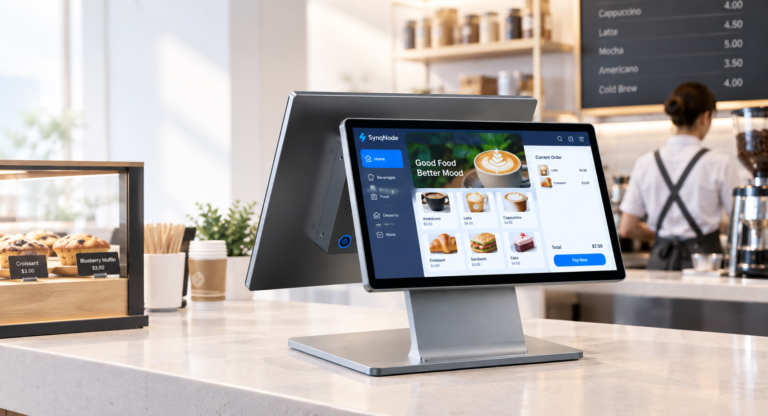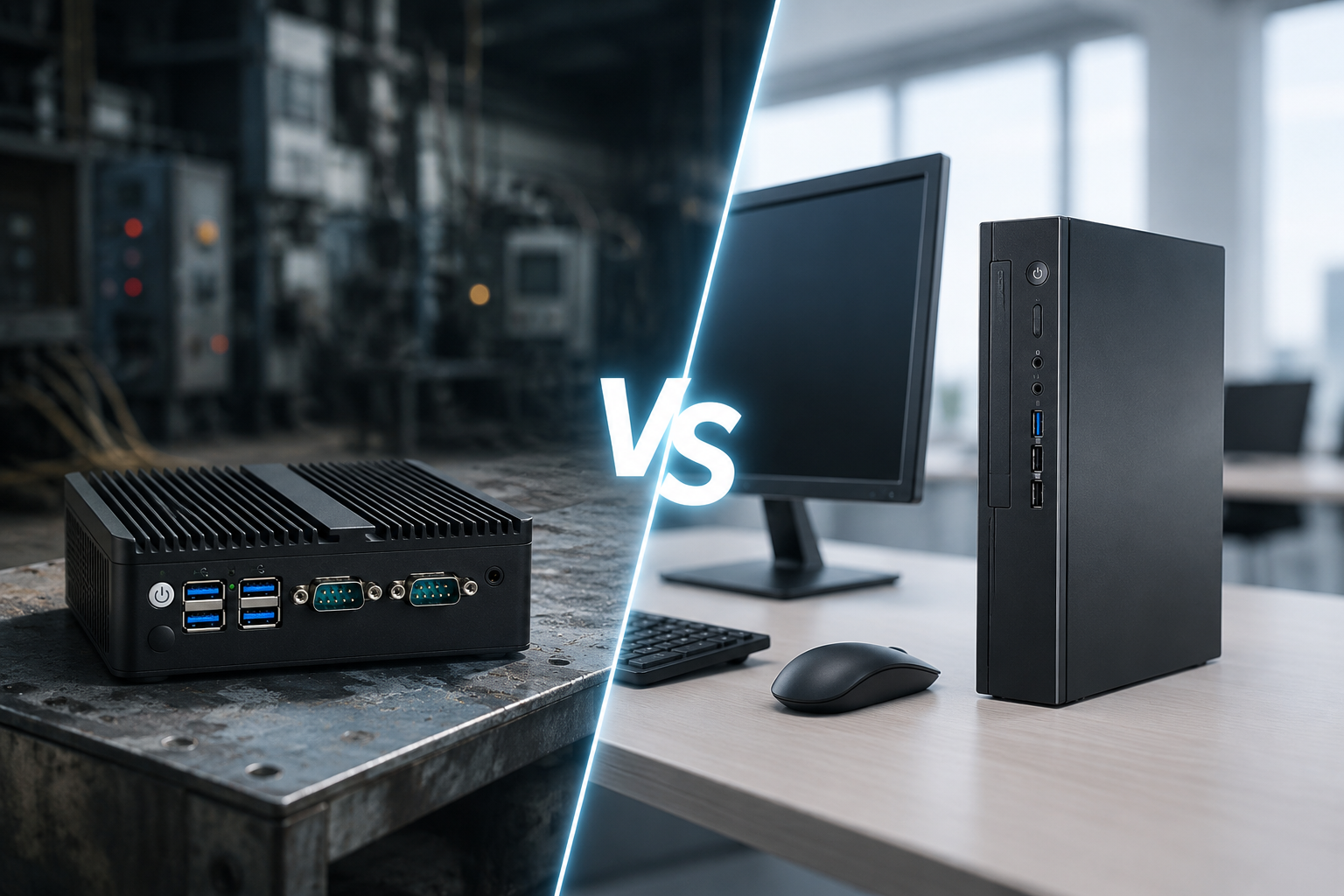
A practical comparison for retail operators, system integrators, and ISVs — covering build quality, MTBF, TCO, deployment scenarios, I/O connectivity, power consumption, and a decision framework for choosing between industrial mini PCs and commercial PCs in retail environments.
Article at a Glance
Industrial Mini PC: Fanless, -20 to 60C, 50,000+ hr MTBF, 5-7 yr lifecycle | Commercial PC: Fan-cooled, 0-35C, 20,000-30,000 hr MTBF, 1-2 yr lifecycle | 5-year TCO difference: $1,347/unit in favor of industrial | Retail failure rate: 3-5% industrial vs 15-25% commercial | Key decision factor: Operating environment, not performance
1. Why This Comparison Matters for Retail
If you are deploying POS terminals, self-service kiosks, digital signage, or edge analytics nodes across a retail chain, the computer inside that deployment determines your uptime, maintenance costs, and replacement cycle. The choice between an industrial mini PC and a commercial PC is not about performance — both can run the same Intel processors. It is about reliability, environmental tolerance, lifecycle stability, and total cost of ownership.
Most comparison articles on this topic focus on factory automation and industrial IoT. This guide is different: it focuses specifically on retail environments — convenience stores, supermarkets, restaurants, outdoor kiosks, cold storage areas, and warehouse-adjacent retail floors. These environments are not as extreme as oil rigs, but they are far more demanding than the climate-controlled offices that commercial PCs are designed for.
We will go into MTBF numbers, 5-year TCO math, failure rate data by environment type, power consumption cost differences, and a retail-specific deployment matrix that tells you exactly which type of PC belongs in which retail setting.
2. What Is an Industrial Mini PC?
An industrial mini PC is a compact computer engineered for continuous operation in environments outside the climate-controlled office. The "industrial" designation is not marketing — it reflects specific engineering decisions in thermal management, component selection, enclosure design, I/O configuration, and lifecycle support.
2.1 Core Design Principles
- Fanless passive cooling — Aluminum alloy chassis functions as a heatsink; no intake vents, no dust ingress path
- Wide operating temperature — Rated for -20C to 60C (some models: -40C to 70C); uses industrial-grade capacitors and MOSFETs rated for 105C+ junction temperatures
- Sealed enclosure — No air vents; IP4X to IP65 ratings depending on model; dust, debris, and liquid splash resistant
- SSD-only storage — No spinning HDDs; no mechanical failure point from vibration
- Wide-voltage DC input — 9V-36V input range with power protection (reverse polarity, overvoltage, surge); survives vehicle electrical system fluctuations
- Industrial I/O — Multiple RS232/RS485 COM ports, dual LAN, GPIO, CAN bus; designed for POS peripheral and sensor connectivity
- Long lifecycle — 5-7 years minimum production with stable hardware revisions; same motherboard available for replacement units years later
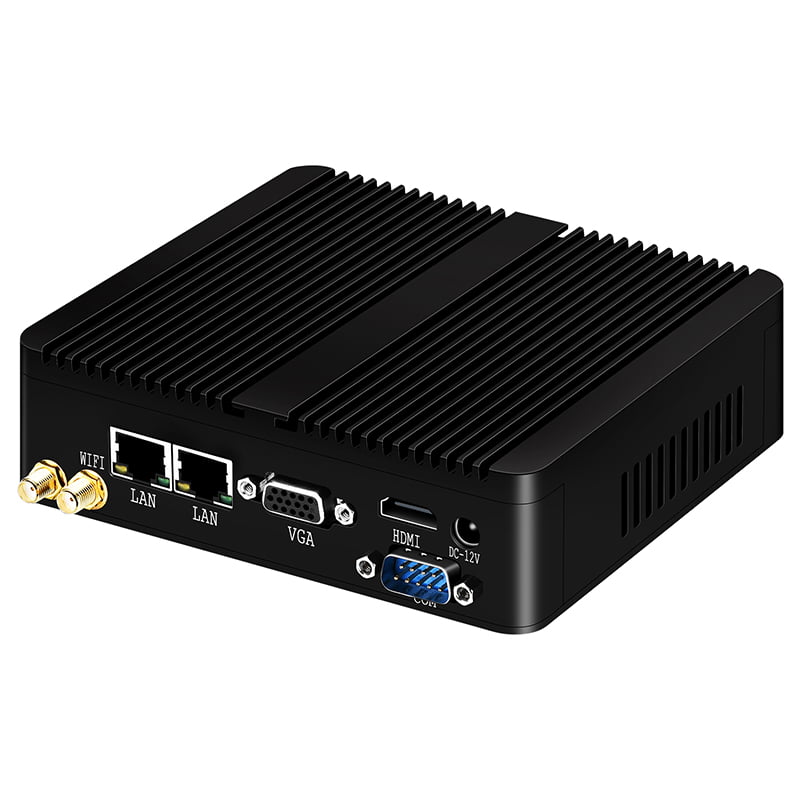
2.2 Typical Industrial Mini PC Specs
| Specification | Entry-Level | Mid-Range | High-Performance |
|---|---|---|---|
| CPU | Intel N5105 / J4125 | Intel Core i3-12100 | Intel Core i7-12700 |
| RAM | 4-8GB DDR4 | 8-16GB DDR4 | 16-32GB DDR5 |
| Storage | 128GB SSD | 256GB SSD | 512GB-1TB NVMe |
| TDP | 10-15W | 35-60W | 65-85W |
| Operating Temp | -20C to 60C | -20C to 60C | -10C to 50C |
| I/O | 2x LAN, 4x USB, 2x COM, 2x HDMI | 2x LAN, 6x USB, 4x COM, GPIO | 2x LAN, 8x USB, 6x COM, GPIO, CAN |
| Power Input | 9-36V DC | 9-36V DC | 12-36V DC |
| MTBF | 50,000+ hours | 50,000+ hours | 50,000+ hours |
| Lifecycle | 5-7 years | 5-7 years | 5-7 years |
3. What Is a Commercial PC?
A commercial PC — whether a desktop tower, a mini PC like the Intel NUC, or an all-in-one — is engineered for office and home environments. The design priority is cost efficiency and performance-per-dollar, not environmental resilience or long-term supply stability.
3.1 Core Design Principles
- Active fan cooling — Internal fan pulls ambient air through vents; dust and debris enter with the air stream
- Narrow temperature range — Rated for 0C to 35C; components derate or shut down outside this range
- Vented enclosure — Air intake and exhaust vents on multiple sides; no dust or liquid protection
- Standard AC power — Requires 100-240V AC adapter; no wide-voltage DC input; no power protection circuitry
- Consumer I/O — Single LAN, 4x USB, HDMI/DisplayPort; no RS232 COM ports, no GPIO, no CAN bus
- Short lifecycle — Model refresh every 12-18 months; motherboard revisions change mid-production; spare parts availability limited
- Consumer-grade components — Capacitors rated for 85C, consumer-grade SSDs with lower write endurance, standard thermal paste
3.2 Typical Commercial Mini PC Specs
| Specification | Budget Mini PC | Mid-Range Mini PC | High-End Mini PC |
|---|---|---|---|
| CPU | Intel N100 / Celeron | Intel Core i3-12100 | Intel Core i7-13700 |
| RAM | 8GB DDR4 | 16GB DDR4 | 32GB DDR5 |
| Storage | 256GB SSD | 512GB SSD | 1TB NVMe |
| TDP | 6-15W | 35-60W | 65-125W |
| Operating Temp | 0C to 35C | 0C to 35C | 0C to 40C |
| I/O | 1x LAN, 4x USB, 1x HDMI | 1x LAN, 5x USB, 2x HDMI | 1x LAN, 6x USB, 2x HDMI/DP |
| Power Input | 19V DC adapter | 19V DC adapter | 19V DC adapter |
| MTBF | 20,000-30,000 hours | 20,000-30,000 hours | 25,000-35,000 hours |
| Lifecycle | 12-18 months | 12-18 months | 18-24 months |
Notice: the CPU options are identical between industrial and commercial categories. An Intel Core i3 is an Intel Core i3 regardless of the box it sits in. The difference is everything around the CPU — the thermal management, the power delivery, the I/O, the enclosure, the component grades, and the lifecycle commitment.
4. The Full Comparison: 14 Dimensions
Here is the complete side-by-side comparison across 14 dimensions that matter in retail deployments:
| Dimension | Industrial Mini PC | Commercial PC |
|---|---|---|
| Cooling | Fanless, passive (aluminum chassis as heatsink) | Active fan, air vents on enclosure |
| Operating temperature | -20C to 60C | 0C to 35C |
| Enclosure | Sealed, aluminum alloy, IP4X-IP65 | Vented, plastic or thin metal, no IP rating |
| MTBF | 50,000-80,000 hours | 20,000-30,000 hours |
| Lifecycle | 5-7 years (stable revisions) | 12-18 months (frequent changes) |
| Vibration resistance | 5Grms @ 5-500Hz (SSD-only, cable-free) | Not rated; cable connections loosen |
| Power input | 9-36V DC, wide voltage, with protection | 19V DC adapter, no protection circuitry |
| COM ports (RS232) | 2-6 ports (for POS printers, cash drawers, scanners) | 0 ports (requires USB-to-serial adapters) |
| LAN ports | 2 (dual LAN for network segmentation) | 1 (single LAN only) |
| GPIO | Yes (sensor control, alarm triggers) | No |
| Mounting | VESA, DIN-rail, wall-mount, embedded | Desktop or VESA only |
| Power consumption | 10-50W typical | 15-65W typical (fan adds 2-5W) |
| Unit cost (i3, 8GB, 256GB) | $280-$450 | $180-$300 |
| 5-year TCO per unit | $547-$817 | $894-$1,254 |
5. MTBF and Failure Rates: The Numbers That Matter
MTBF (Mean Time Between Failures) is the most important reliability metric for retail deployments. It tells you how many hours of continuous operation you can expect before a hardware failure occurs on average.
| Metric | Industrial Mini PC | Commercial PC |
|---|---|---|
| MTBF (hours) | 50,000-80,000 | 20,000-30,000 |
| MTBF (years, 24/7) | 5.7-9.1 years | 2.3-3.4 years |
| Annual failure rate (clean retail) | 3-5% | 8-12% |
| Annual failure rate (harsh retail) | 5-8% | 15-25% |
| Reliability ratio | 2.5x-2.7x longer | Baseline |
The gap widens dramatically in harsh retail environments. A commercial PC deployed in a restaurant kitchen (grease, heat, humidity) or an outdoor kiosk (temperature swings, dust) can see failure rates of 15-25% per year — meaning 1 in 4 to 1 in 6 units fails annually. An industrial mini PC in the same environment typically sees 5-8% failure.
The primary failure point in commercial PCs is the cooling fan. Fan bearings wear out after 20,000-30,000 hours of continuous operation, and dust accumulation on fan blades causes imbalance, noise, and eventual seizure. The secondary failure point is the HDD (if present) — spindle motors fail under vibration. Industrial mini PCs eliminate both: no fan, no moving parts, SSD-only storage.
6. 5-Year TCO: The Real Cost Comparison
Commercial PCs are cheaper to buy. Industrial mini PCs are cheaper to own. Here is the 5-year total cost of ownership for a single unit deployed in a typical retail environment:
| Cost Component | Industrial Mini PC | Commercial PC |
|---|---|---|
| Initial purchase (i3, 8GB, 256GB) | $350 | $250 |
| Replacement units (5-year, 5% failure/yr) | $88 (0.25 units) | $263 (1.05 units) |
| Maintenance / repair labor ($75/service call) | $56 (0.75 calls) | $225 (3.0 calls) |
| Downtime cost ($50/hr lost revenue, 4hr avg downtime) | $50 | $200 |
| Energy (5yr, 15W industrial vs 20W commercial, $0.12/kWh) | $79 | $105 |
| USB-to-serial adapters (POS peripherals) | $0 | $30 |
| Forced OS migration (commercial PC EOL) | $0 | $150 |
| 5-Year TCO (per unit) | $623 | $1,223 |
| TCO difference | Industrial saves $600/unit over 5 years | |
For a 100-unit deployment, that is $60,000 in 5-year savings — and this is the conservative scenario for a clean retail environment. In harsh environments (kitchens, outdoor kiosks, cold storage), the commercial PC failure rate doubles, pushing the TCO gap to $800-$1,000 per unit.
The Break-Even Point
Industrial mini PC costs $100 more upfront but saves $600 over 5 years. The payback period is approximately 10 months — after that, every month of operation is pure savings. For a 50-unit chain, the industrial option saves $30,000 over the deployment lifecycle.
7. Retail Deployment Matrix: Which PC Belongs Where?
Not every retail environment needs an industrial mini PC. Here is a deployment matrix that maps retail environments to the recommended PC type:
| Retail Environment | Key Challenges | Recommended PC | Why |
|---|---|---|---|
| Convenience store (climate-controlled) | Dust from foot traffic, 24/7 operation, limited ventilation | Industrial mini PC | Fanless design prevents dust accumulation; 24/7 rated; RS232 for POS peripherals |
| Supermarket (floor level) | Refrigeration humidity, entrance dust, long hours | Industrial mini PC | Sealed enclosure resists humidity; wide temp handles refrigeration zone; dual LAN for POS + management network |
| Restaurant kitchen (back-of-house) | Grease, steam, heat (35-40C ambient), humidity, vibration | Industrial mini PC (mandatory) | Commercial PCs fail within 12-18 months; grease enters fan vents and coats internals; industrial sealed chassis blocks all ingress |
| Outdoor self-service kiosk | Sun exposure (internal temp 50-70C), dust, rain, temperature swings | Industrial mini PC (mandatory) | Only industrial PCs rated for 60C+ ambient survive solar gain; commercial PCs thermal-shutdown at 35C |
| Cold storage / freezer area | Sub-zero temperatures, condensation on power-up | Industrial mini PC (mandatory) | Industrial PCs boot at -20C; commercial PCs fail to boot below 0C due to capacitor derating and SSD controller freeze |
| Back-office / server room | Climate-controlled, clean, intermittent use | Commercial PC (acceptable) | Environment is within commercial PC specs; cost savings justified; no POS peripheral connectivity needed |
| Retail warehouse / stockroom | Dust, forklift vibration, temperature swings, no AC | Industrial mini PC | Vibration resistance for forklift-adjacent mounting; dust-sealed enclosure; wide temp for unconditioned spaces |
| Digital signage (indoor, climate-controlled) | Clean environment, 12-16hr/day operation | Commercial PC (acceptable) | Low duty cycle, clean air, no POS peripherals; commercial PC sufficient |
| Digital signage (outdoor) | Solar gain, rain, dust, temperature extremes | Industrial mini PC (mandatory) | IP-rated enclosure, wide temperature, fanless; commercial PCs overheat in sealed outdoor enclosures |
Rule of thumb: If the PC is in a climate-controlled back-office or indoor signage display, a commercial PC is fine. If the PC is on the retail floor, near a kitchen, outdoors, in a warehouse, or near refrigeration — choose an industrial mini PC. The $100 price premium pays for itself within the first year through avoided downtime.
8. I/O Connectivity: Why POS Peripherals Need Industrial Ports
POS deployments require connectivity that commercial PCs do not provide natively. Thermal receipt printers, cash drawers, barcode scanners, customer displays, and kitchen display systems typically use RS232 serial connections — the industry standard for POS peripheral communication. Commercial PCs have zero COM ports. Industrial mini PCs have 2-6.
| I/O Port | Industrial Mini PC | Commercial PC | POS Use Case |
|---|---|---|---|
| RS232 COM ports | 2-6 native ports | 0 (needs USB adapter) | Thermal printers, cash drawers, customer displays, scanners |
| LAN ports | 2 (dual LAN) | 1 | Network segmentation: LAN 1 = POS payment network, LAN 2 = management/inventory |
| GPIO | Yes (4-8 pins) | No | Alarm triggers, door sensors, automated dispenser control |
| USB ports | 4-8 | 4-6 | NFC readers, MSR, USB scanners, keyboard, mouse |
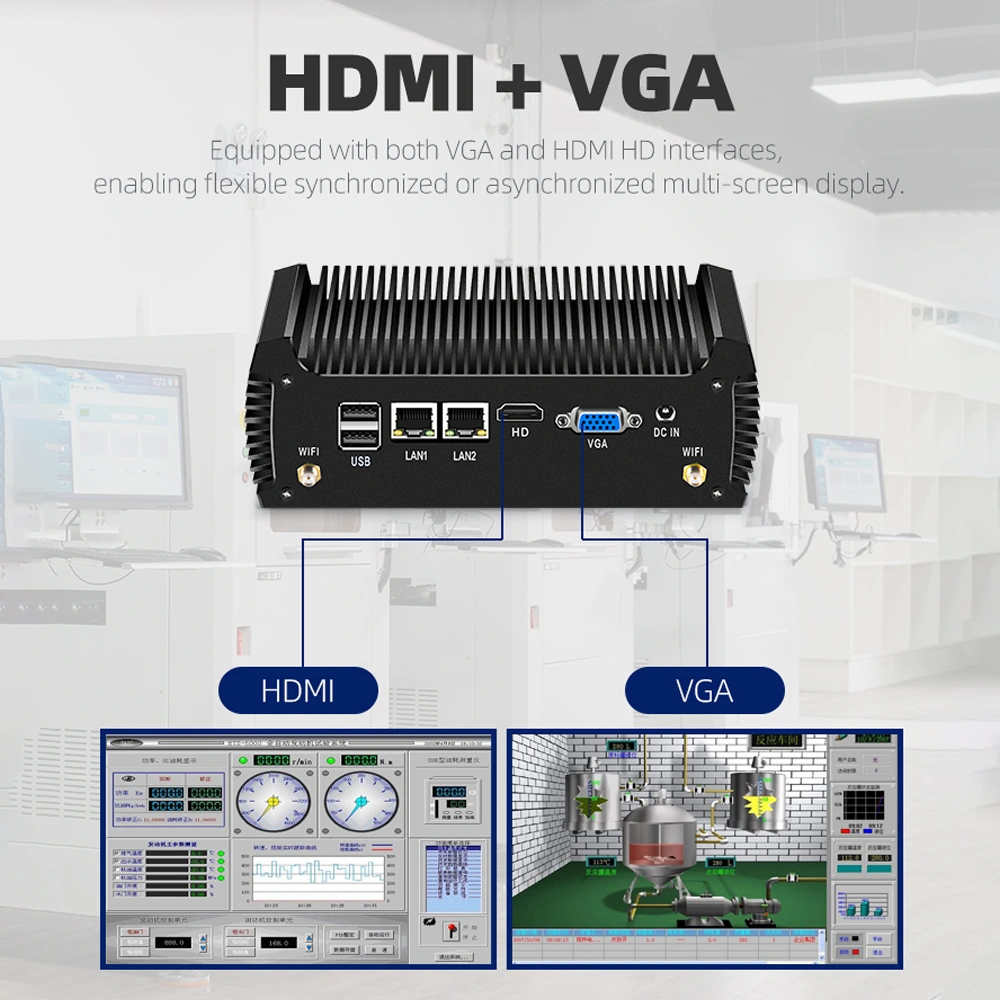
| Display outputs | 2x HDMI, 1x VGA | 1-2x HDMI/DP | Main display + customer-facing display (dual-screen POS) |
| DC power input | 9-36V DC terminal block | 19V barrel jack | Battery backup integration, vehicle power, UPS direct connection |
The USB-to-serial adapter workaround on commercial PCs introduces three problems: (1) adapters cost $10-$15 each and a POS station needs 3-4, adding $30-$60 per unit; (2) USB adapters are less reliable than native RS232 — they can drop connections under heavy CPU load or when USB power management kicks in; (3) adapters add another failure point and cable clutter behind the counter.
Dual LAN is equally important. PCI DSS compliance requires network segmentation between payment processing and general store traffic. With a single LAN port, a commercial PC needs an additional USB Ethernet adapter — unreliable and bandwidth-limited. Dual LAN on an industrial mini PC provides hardware-level separation with full bandwidth on both ports.
9. Power Consumption and Energy Costs
Industrial mini PCs consume less power than commercial PCs for two reasons: (1) fanless design eliminates the 2-5W fan power draw; (2) industrial-grade components are selected for efficiency at wide voltage ranges, while commercial PCs prioritize peak performance over sustained efficiency.
| Power Metric | Industrial Mini PC | Commercial PC |
|---|---|---|
| Idle power draw | 8-12W | 12-18W |
| Full load power draw | 15-50W | 20-65W |
| Fan power | 0W (fanless) | 2-5W |
| Annual energy (24/7, avg 15W vs 20W) | 131 kWh | 175 kWh |
| Annual energy cost ($0.12/kWh) | $15.77 | $21.02 |
| 5-year energy cost (per unit) | $79 | $105 |
The per-unit energy savings ($26 over 5 years) may seem small, but it scales with deployment size. A 500-unit retail chain saves $13,000 in energy costs over 5 years. More importantly, the lower power draw of industrial mini PCs reduces heat output — which means less AC load in enclosed spaces, extending the life of adjacent equipment.
10. Lifecycle and Supply Stability: The Hidden Risk
When you deploy 200 POS terminals across a retail chain, you need replacement units that are hardware-identical to the originals. If a motherboard revision changes, your OS image may not work, your mounting brackets may not fit, and your driver stack may need updating. This is the lifecycle problem.
Commercial PC manufacturers refresh their product lines every 12-18 months to follow Intel/AMD CPU release cycles. A mini PC you buy today may be discontinued in 18 months, replaced by a model with a different motherboard, different port layout, different BIOS, and different physical dimensions. If a unit fails in year 3, the replacement you buy is a different product — requiring re-imaging, re-testing, and potentially new mounting hardware.
Industrial mini PC manufacturers commit to 5-7 year production lifecycles. The same motherboard, the same port layout, the same BIOS, the same physical dimensions. When a unit fails in year 3, the replacement is identical — plug it in, image it with your existing golden image, and it works. No re-qualification, no driver updates, no mounting changes.
| Lifecycle Factor | Industrial Mini PC | Commercial PC |
|---|---|---|
| Production lifecycle | 5-7 years | 12-18 months |
| Hardware revision changes | Minimal — same board, same ports, same dimensions | Frequent — new board, port layout, BIOS, dimensions |
| Spare part availability | Same model available for 5+ years | Model discontinued within 2 years |
| OS image compatibility | Single golden image works for all units | New image required for each revision |
| Driver stability | Same driver set across all units | Driver updates per revision |
11. When a Commercial PC Is the Right Choice
This guide might read like an advertisement for industrial mini PCs. It is not — there are legitimate scenarios where a commercial PC is the correct choice. Being honest about this helps you make the right decision:
- Back-office computers — Payroll, scheduling, email, inventory management in a climate-controlled room with no POS peripherals. A commercial mini PC at $200 saves $150 per unit with zero reliability penalty.
- Indoor digital signage (non-critical) — Display screens in a mall or retail floor showing promotional content. If the PC fails, content goes dark — annoying but not revenue-stopping. Commercial PC acceptable if downtime cost is low.
- Short-term / pop-up deployments — Seasonal pop-up shops, trade show booths, temporary registers. The deployment lasts 2-6 months; lifecycle and MTBF are irrelevant. Commercial PC is cheaper for short-term needs.
- Development and testing — Software development, testing, and staging environments where the PC is not in production. Commercial PCs are fine for dev/test where reliability is not mission-critical.
The key question is: What happens if this PC fails? If the answer is "a cashier lane closes and customers wait in line" or "the kitchen display goes dark and orders back up" — you need an industrial mini PC. If the answer is "an office worker uses a different computer for an hour" — a commercial PC is fine.
12. SynqNode Industrial Mini PC Solutions
SynqNode offers a range of industrial mini PCs designed for retail deployment — from entry-level POS controllers to high-performance edge computing nodes. All models feature fanless sealed enclosures, wide-temperature operation, dual LAN, multiple COM ports, and 5+ year production lifecycles.
- Entry-level (Intel N5105/J4125) — POS controller, digital signage, light-duty kiosk. 10-15W TDP, 4x COM, 2x LAN, VESA mount. From $280.
- Mid-range (Intel Core i3/i5) — Multi-lane POS, self-service kiosk controller, inventory management. 35-60W TDP, 4x COM, 2x LAN, GPIO. From $380.
- High-performance (Intel Core i7) — Edge analytics, AI inference at store level, computer vision for loss prevention. 65-85W TDP, 6x COM, 2x LAN, CAN bus. From $520.
- ODM/OEM customization — Custom branding, configuration, OS image deployment, and packaging. MOQ 50 units. Full design ownership available for OEM projects.
All SynqNode industrial mini PCs ship with CE, FCC, and RoHS certifications. Wide-voltage DC input (9-36V) with power protection is standard on all models. Mounting options include VESA 75/100, DIN-rail, and wall-mount brackets.
Need help choosing the right mini PC for your retail deployment?
Tell us about your retail environment, volume needs, and POS peripherals. We will recommend the right model and configuration.
Contact SynqNode Solutions Team
13. Frequently Asked Questions
Q1: Can I use a commercial mini PC for POS if I keep it in a clean, air-conditioned store?
You can, but it is not recommended. Even in a clean store, commercial PCs have three disadvantages for POS: (1) no native RS232 COM ports for POS printers and cash drawers — you need USB adapters that cost $30-$60 and are less reliable; (2) no dual LAN for PCI DSS network segmentation; (3) 12-18 month lifecycle means replacement units will be different hardware, requiring re-imaging. The $100 savings on purchase price is quickly consumed by adapter costs and maintenance overhead.
Q2: What is the typical lifespan of an industrial mini PC in a retail environment?
In a clean retail environment, expect 5-8 years of continuous operation. In harsher environments (kitchens, outdoor kiosks, cold storage), expect 4-6 years. The fanless design eliminates the most common failure point (fan bearing wear), and SSD-only storage eliminates the second most common (HDD spindle failure). The typical end-of-life failure mode is capacitor aging in the power circuitry, which manifests as instability after 5+ years of 24/7 operation.
Q3: Do industrial mini PCs support the same Intel processors as commercial PCs?
Yes. Industrial mini PCs use the same Intel CPU families — N5105, J4125, Core i3, i5, i7 — as commercial mini PCs. The CPU is identical. The difference is the platform around the CPU: thermal management (fanless vs fan), power delivery (wide-voltage DC vs fixed AC adapter), enclosure (sealed vs vented), I/O (COM ports + dual LAN vs USB only), and lifecycle (5-7 years vs 12-18 months). Performance benchmarks for the same CPU are within 2-5% of each other.
Q4: Why do industrial mini PCs cost more than commercial PCs with the same CPU?
The price premium ($80-$150) covers: industrial-grade aluminum alloy chassis (machined and anodized, vs plastic injection mold); industrial-grade capacitors and MOSFETs (rated 105C, vs 85C consumer grade); wide-voltage power regulation circuitry with protection; additional I/O controllers (RS232, GPIO, second LAN PHY); sealing gaskets and IP-rated connectors; and extended lifecycle support (maintaining tooling and component supply for 5-7 years vs 12-18 months). The component cost difference is real — industrial-grade parts cost more than consumer-grade parts.
Q5: Can industrial mini PCs be used in freezer environments (-20C)?
Yes. Industrial mini PCs rated for -20C can boot and operate in freezer environments. However, two considerations apply: (1) condensation — when a cold PC is moved to a warm environment, moisture can form on internal components. Industrial PCs use conformal coating on PCBs to mitigate this. (2) SSD performance degrades below -10C — most industrial SSDs are rated for -20C operation but write speed may slow. For continuous freezer deployment, specify a model with conformal-coated PCBs and industrial-grade SSD rated for -40C if available.
Q6: How do I mount an industrial mini PC in a retail environment?
Industrial mini PCs support multiple mounting options: VESA 75/100 mount (behind a POS display or under a counter), DIN-rail mount (in an electrical cabinet or server rack), wall mount (bracket included), and embedded mount (inside a kiosk or self-service enclosure). The compact form factor (typically 150mm x 110mm x 40mm) allows installation in spaces where a desktop PC cannot fit. Always ensure at least 20mm of clearance around the chassis for passive heat dissipation.
Q7: What is the MOQ for SynqNode industrial mini PCs?
Standard models (no customization) have an MOQ of 10 units. Customized models (logo printing, custom boot screen, branded packaging, OS image deployment) have an MOQ of 50 units. Full OEM design (custom enclosure, custom PCB) requires 500+ units. Sample units (2-3 pieces) are available for evaluation at $200-$600 depending on the model. Contact our solutions team for volume pricing.
This article is brought to you by SynqNode Solutions Team — your B2B partner for POS terminals, electronic shelf labels, self-service kiosks, industrial mini PCs, and OEM/ODM manufacturing.
Visit www.smartstoreops.com for our full product catalog and manufacturing capabilities.