Restaurant & QSR Solutions for
Faster Ordering and Connected Service.
Restaurant operations are accelerated by our connected hardware ecosystem. Touch screen POS systems, self-service kiosks, ordering terminals, POS printers, kitchen printers, barcode scanners, Mini PCs, and peripherals are configured to support faster ordering, smoother checkout, and scalable QSR operations.
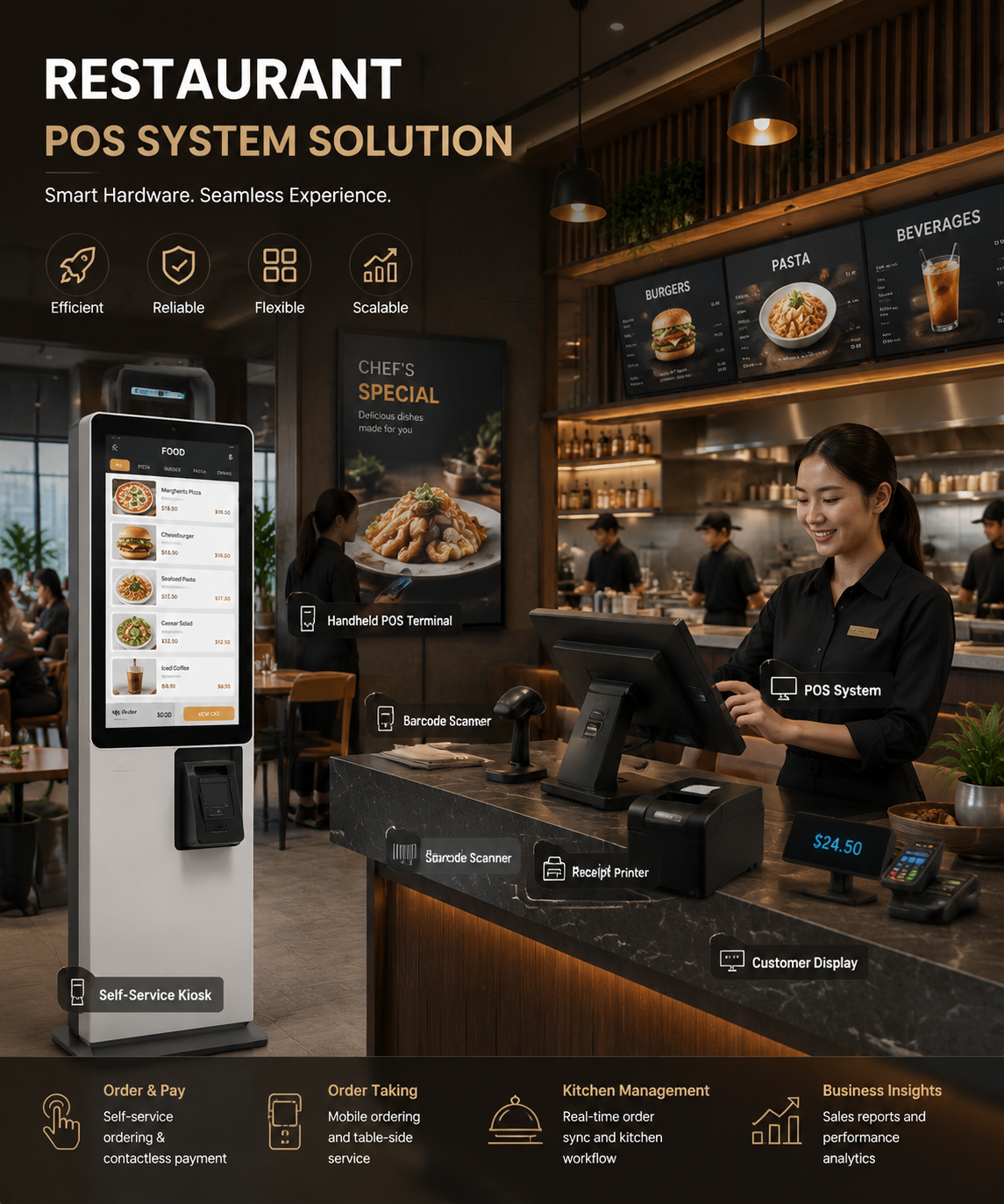
Order #4092 Ready
Kitchen to Front Sync: 0.2s
Restaurant Service Moves Fast.
Disconnected Hardware Slows It Down.
QSR and restaurant teams must manage orders, checkout, kitchen printing, pickup, and peak-hour traffic at the same time. When hardware is unstable or disconnected, service speed is reduced and customer experience is affected.
Long Queues During Peak Hours
Customers wait longer when only cashier-based ordering is available. Order flow is slowed down.
Slow Ordering and Checkout
Outdated POS hardware can limit staff speed, payment flow, and order accuracy.
Disconnected Kitchen Printing
Orders can be delayed when kitchen printers, POS terminals, and order systems are not connected properly.
Mixed Order Channels
Dine-in, takeaway, delivery, and self-ordering workflows must be handled without confusion.
Unstable Store Devices
Generic hardware is not always built for high-frequency restaurant operations and long service hours.
Difficult Chain Rollout
Multi-location restaurant brands need consistent hardware models, configurations, and support.
A Connected Hardware Layer Is Built for Restaurant Operations.
We connect restaurant software with physical service points. Ordering, checkout, kitchen printing, customer display, and self-service workflows can be supported through one reliable hardware ecosystem.
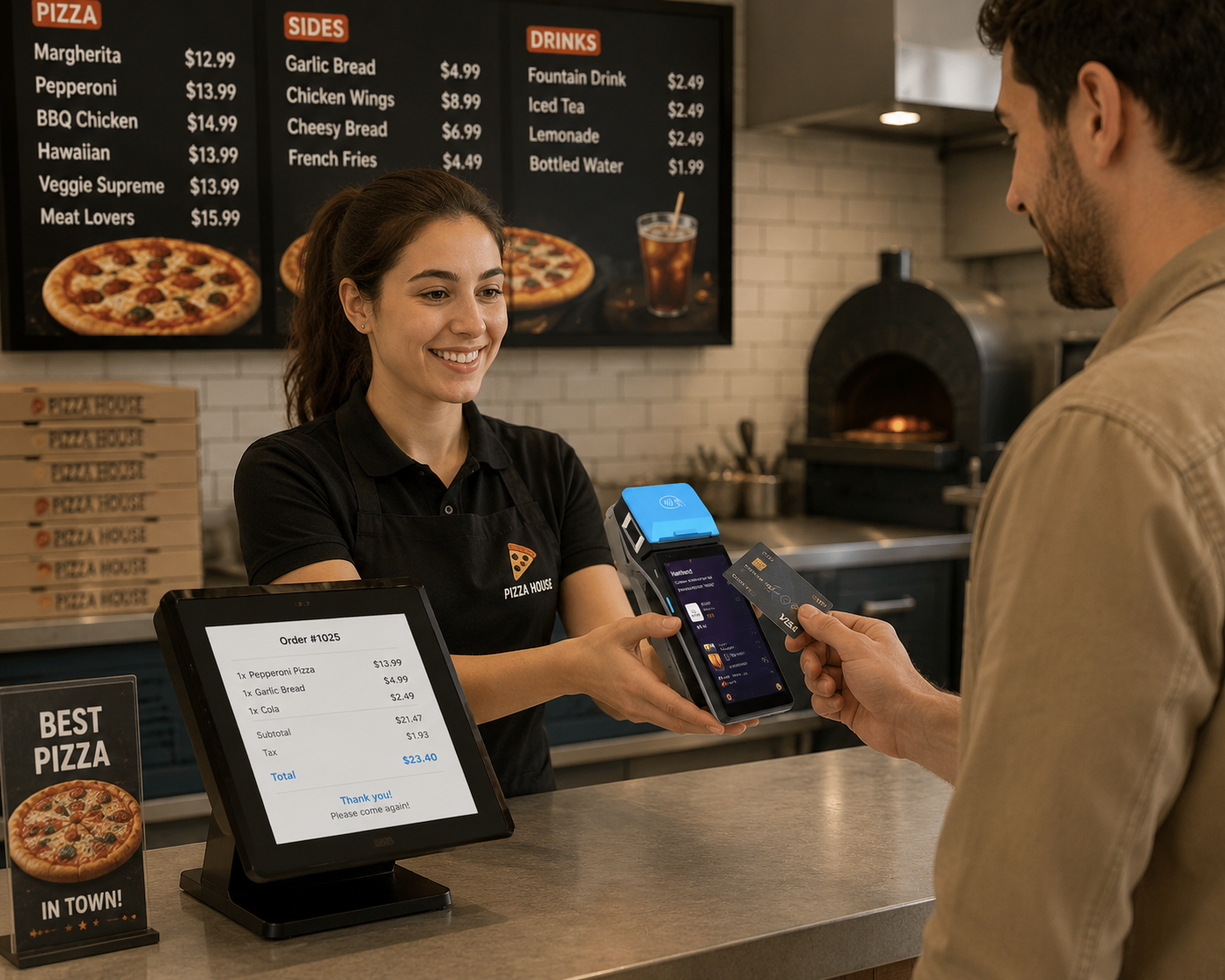
Ordering Nodes
Self-service kiosks and ordering terminals are deployed to help customers place orders faster.
Checkout Nodes
Touch screen POS systems, scanners, customer displays, and peripherals are used for cashier checkout and payment-ready workflows.
Kitchen Nodes
POS printers and kitchen printers are connected to send orders clearly to food preparation areas.
Display Nodes
Customer displays and digital signage can be used for order information, menu promotion, and pickup guidance.
Computing Nodes
Mini PCs and embedded computing hardware can be configured to support restaurant software and connected device control.
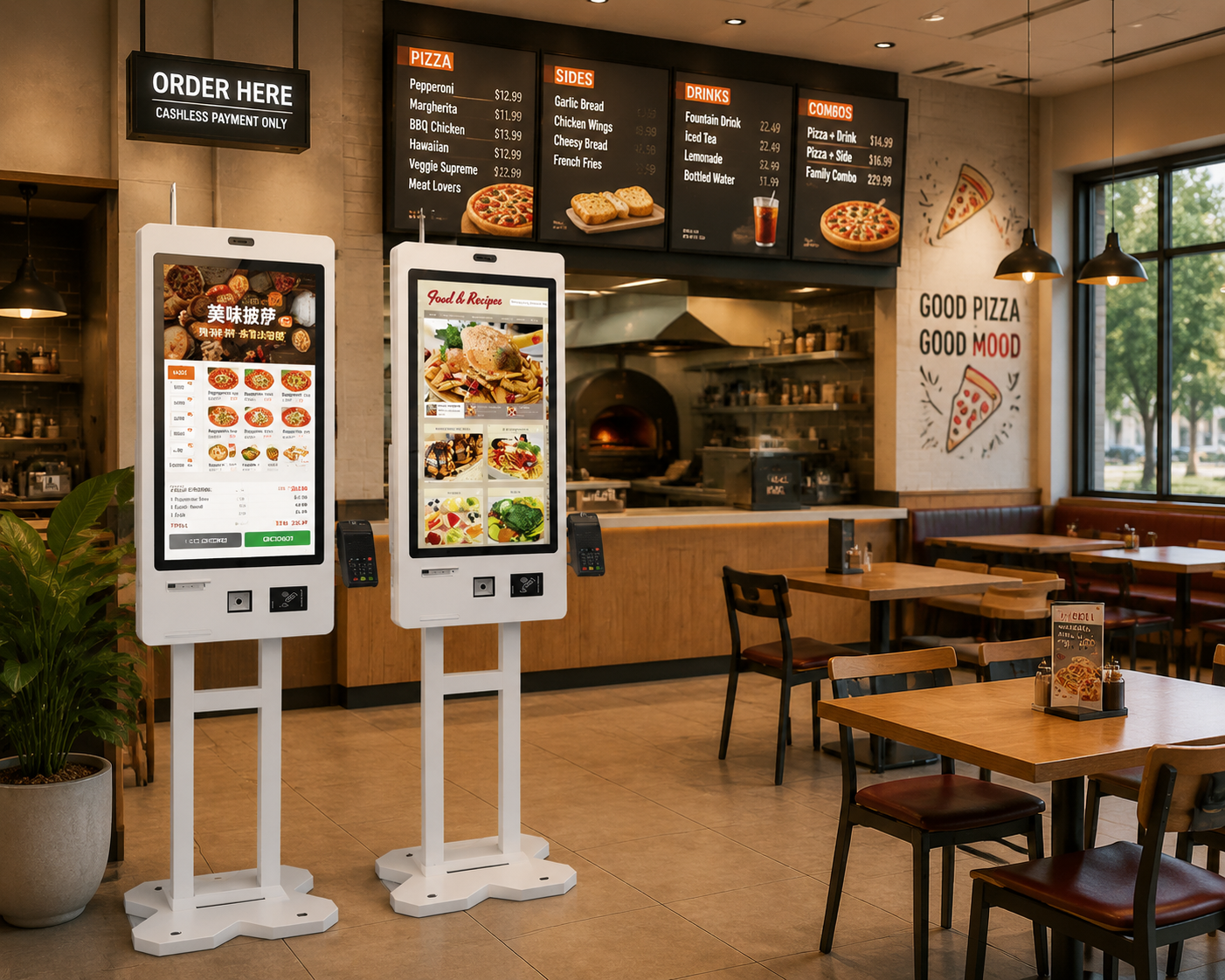
Queues Are Reduced with Self-Service Ordering Kiosks.
Self-service kiosks can be deployed to expand ordering capacity without adding more cashier counters. Customers can browse menus, place orders, select add-ons, and complete checkout with a smoother experience.
Faster Order Entry
Customers can place orders directly on self-ordering kiosks. Staff workload can be reduced during peak hours.
Better Upsell Opportunities
Combo meals, add-ons, limited offers, and promotions can be displayed clearly on ordering screens.
Consistent Customer Experience
The same ordering interface can be deployed across multiple restaurant locations.
Flexible Hardware Configuration
Kiosks can be configured with touch screens, printers, scanners, payment device holders, and custom branding.
Checkout Is Supported by Stable Restaurant POS Hardware.
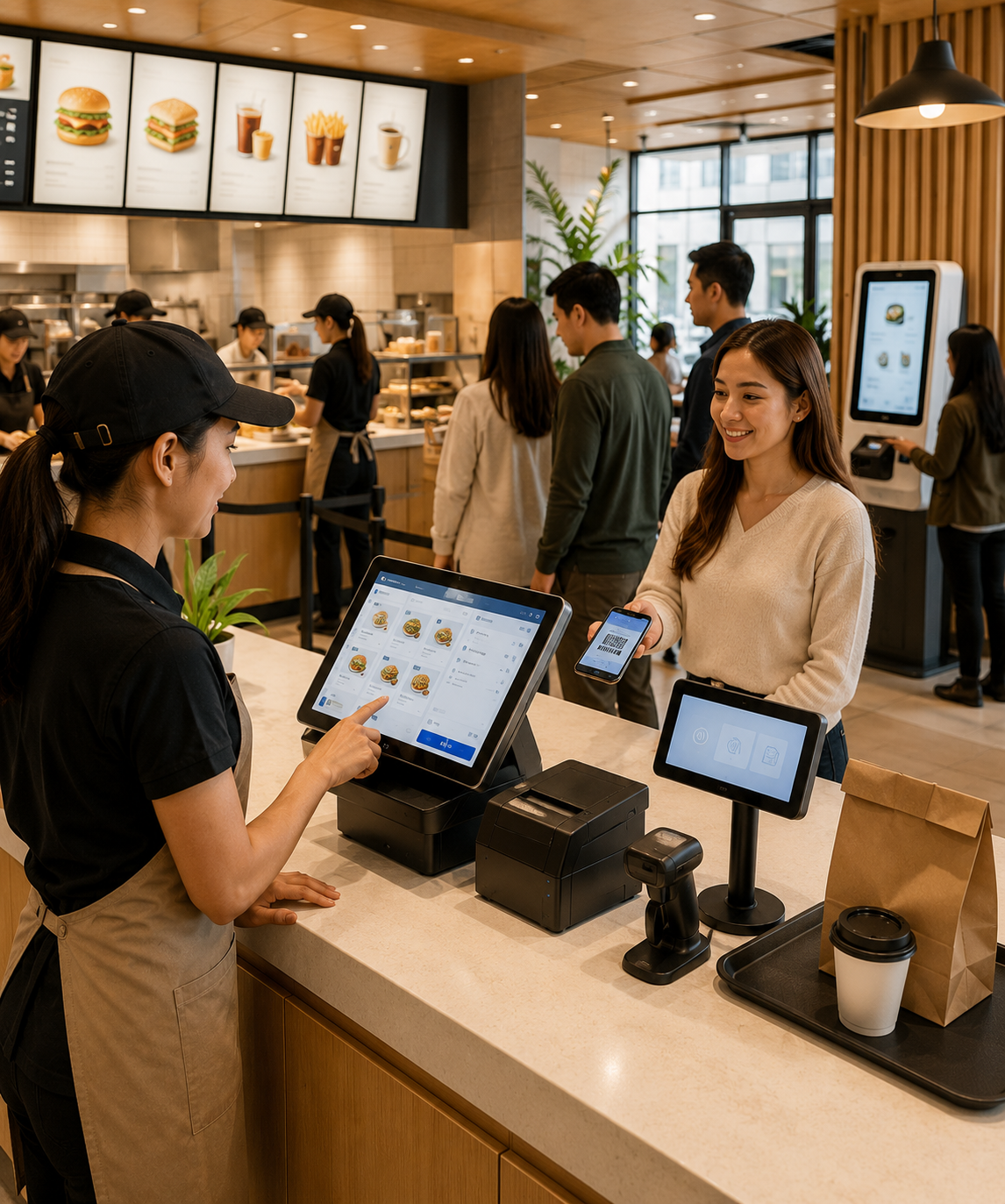
Fast food restaurants, cafes, and takeaway counters need reliable POS terminals and connected peripherals. Our restaurant POS hardware can be configured for cashier ordering, QR code scanning, receipt printing, customer display, and software operation.
Touch Screen POS Terminals
Android POS and Windows POS terminals are provided for restaurant checkout, order entry, and POS software operation.
QR Code and Barcode Scanning
1D and 2D scanners are used for coupons, loyalty codes, product codes, QR payments, and pickup verification.
Customer Display Integration
Customer-facing displays can be connected to show order details, prices, promotions, and payment information.
Peripheral Compatibility
POS printers, cash drawers, scanners, and payment accessories can be matched with store checkout workflows.
Kitchen Orders Are Sent Faster and More Clearly.
Orders from cashier POS systems or self-service kiosks can be routed to printing devices for kitchen preparation. Clear order tickets help restaurant teams reduce confusion and improve service speed.
Orders Are Placed
Orders can be entered through cashier POS terminals, ordering kiosks, or connected restaurant systems.
Orders Are Routed
Order data can be sent to the correct preparation area based on restaurant workflow.
Kitchen Tickets Are Printed
Kitchen printers and order printers are used to print clear tickets for food preparation teams.
Pickup Is Managed
Customer displays or digital signage can be used to guide pickup and reduce counter confusion.
Data Is Synchronized
Order, payment, and device data can be connected to POS software or cloud management platforms.
Recommended Hardware Kits for Restaurant and QSR Projects.
Different restaurant formats require different hardware combinations. Flexible hardware kits can be prepared based on your store layout, software platform, and service workflow.
Counter POS Kit
Cashier checkout, order entry, receipt printing, and customer-facing information can be supported by one stable hardware set.
Includes:
Touch Screen POS System / POS Printer / Barcode Scanner / Customer Display / Cash Drawer
Self-Service Ordering Kit
Ordering capacity can be expanded. Queues can be reduced. Customer self-service can be added to your restaurant workflow.
Includes:
Self-Service Kiosk / Touch Screen Ordering Terminal / Printer / Scanner / Payment Device Holder
Kitchen Printing Kit
Orders can be printed clearly for kitchen teams. Preparation speed and order accuracy can be improved.
Includes:
Kitchen Printer / POS Printer / Mini PC / Peripheral Accessories
Full QSR Hardware Kit
A complete restaurant hardware layer can be deployed for ordering, checkout, printing, pickup, and chain store operations.
Includes:
POS Systems / Self-Service Kiosks / Kitchen Printers / Scanners / Customer Displays / Mini PCs / Peripherals
Why Restaurant Hardware Projects Are Built with SynqNode.
Restaurant technology projects require more than single devices. Stable POS hardware, self-service terminals, printing devices, software compatibility, and scalable supply must be considered together.
Complete Restaurant Hardware Ecosystem
POS terminals, self-service kiosks, printers, scanners, customer displays, Mini PCs, and peripherals can be supplied as one connected solution.
Built for High-Frequency Service
Hardware is selected for busy restaurant counters, QSR peak hours, and continuous commercial operation.
Software Integration Friendly
Devices can be matched with restaurant POS software, ordering platforms, payment workflows, and cloud management systems.
Scalable for Chain Restaurants
Pilot stores, regional rollouts, and multi-location deployments can be supported with consistent hardware configurations.
OEM/ODM Support
Branding, packaging, hardware configuration, firmware, system images, and project customization can be supported.
Global B2B Supply
Bulk orders, distributor cooperation, long-term supply, and project-based delivery can be supported by us.
Build a Faster Restaurant Service Flow with SynqNode.
Tell us your restaurant format, ordering workflow, software platform, and hardware needs. A suitable Restaurant & QSR hardware solution can be prepared by our team.
Tell Us About Your Restaurant Project.
Your restaurant format, ordering workflow, software platform, and hardware requirements will be reviewed.